AI & Technology
OpenAI Dots: The Always-On AI Agents That Can Work for You
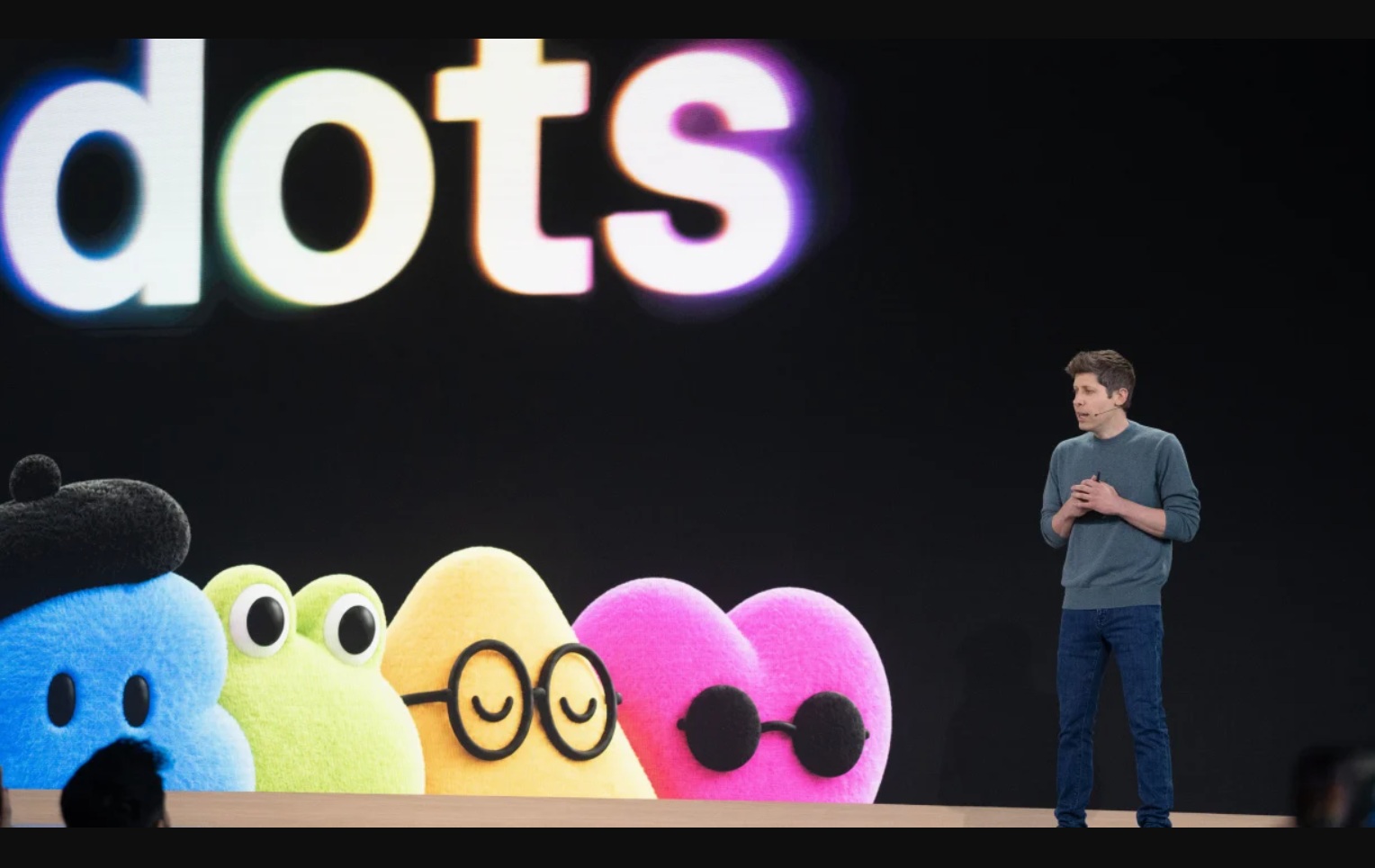
Overview: The Next Evolution of Personal AI Agents
Artificial intelligence is moving beyond simple chatbots. Instead of only answering questions, the newest AI systems are being designed to take action, use tools, and complete tasks on their own.
OpenAI is taking another step in this direction with Dots, a new type of personal AI agent powered by GPT-6 Astra.
Dots are designed to stay available, work on ongoing tasks, use connected applications, and operate through their own cloud computers.
What Are OpenAI Dots?
OpenAI Dots are always-on personal AI agents that can handle work and personal tasks for users.
Unlike a traditional chatbot, where you ask a question and immediately receive an answer, a Dot is designed around a goal or ongoing responsibility.
For example, instead of asking ChatGPT:
“Find the latest AI news.”
You could give a Dot a longer-term task:
“Every morning, find important AI product launches, research them, and prepare a simple summary for me.”
The Dot can then work through the required steps and return the results to you.
ChatGPT: Answers your questions.
A Dot: Can work toward completing a task.
When Were OpenAI Dots Released?
OpenAI introduced Dots during DevDay 2026.
The rollout is gradual, with availability initially focused on eligible Pro and Business users. Enterprise availability is also being introduced in a beta environment, depending on workspace settings and administrator controls.
Availability can vary by account and region, so users may not see Dots immediately even if their plan is eligible.
How Do OpenAI Dots Work?
Dots combine several technologies to perform multi-step tasks seamlessly.
1. You Give the Dot a Goal
Everything starts with an instruction. For example:
“Research five important AI developments every Monday and prepare a short report.”The Dot interprets the goal and determines what actions are needed.
2. GPT-6 Astra Handles the Reasoning
Dots are powered by GPT-6 Astra. The model helps the agent understand instructions, reason through problems, decide what steps are required, and interact with available tools.
Instead of simply:
the workflow can look more like:
Cloud Computers, App Integrations & Feedback
3. Dots Use Their Own Cloud Computers
One of the important features of Dots is their ability to operate through their own cloud computers. This means the agent can perform certain computer-based tasks without requiring your personal computer to remain open.
For example, a Dot could potentially:
- Open websites: Seamlessly load target portals and research databases in the background.
- Research information: Aggregate facts and compare findings across diverse web resources.
- Navigate web pages: Interact with forms, dashboards, and dynamic online interfaces.
- Work with connected applications: Read data and trigger actions across authorized services.
- Process information: Structure, analyze, and format raw inputs into polished deliverables.
- Complete sequential steps: Follow through complex multi-step pipelines without supervision.
Connected Apps & Learning from Feedback
4. Dots Can Connect to Apps
Dots can also work with applications that you authorize. For example, an agent could potentially use information from connected work applications to help complete a task.
The critical element is permission. A Dot does not automatically get unlimited access to your applications. Users maintain explicit control over which applications and capabilities are connected.
5. Dots Learn From Feedback
Dots are designed to become more useful through ongoing interaction and feedback. If you tell the Dot that you prefer a particular format or workflow, that information helps it understand how you want future tasks handled.
For example:
“Don't give me a long report. Give me five bullet points and explain the most important one in simple English.”
The goal is for the agent to continuously align with your personal execution preferences.
How Can You Use OpenAI Dots? Real-World Use Cases
There are many practical scenarios where always-on agents provide immense leverage across everyday workflows:
- AI News Research: A content creator could ask: “Every weekday, find important AI launches and prepare a summary containing the product name, release date, features, and how it works.” This drastically reduces repetitive daily research.
- Work Management: Professionals can use a Dot for recurring tasks such as organizing team updates, monitoring project milestones, or preparing executive summaries.
- Personal Tasks: Dots can manage personal workflows where connected apps and permissions allow them to access required calendar, travel, and schedule data.
- Academic & Market Research: Students, developers, and analysts can deploy Dots to systematically gather datasets, organize literature reviews, and format structured briefs.
- Software Development: Engineers can leverage agents to research library documentations, review changelogs, analyze repositories, and automate routine script workflows.
Example: How a Dot Could Help a Content Creator
Imagine you create technology blogs.
Normally, you might have to spend hours on repetitive manual steps:
- Search for AI news
- Open multiple articles
- Understand each announcement
- Find the release date
- Research how the technology works
- Collect important facts
- Create a blog outline
- Write the article
- Review the article
A Dot can handle much of this pipeline. You could give it a targeted instruction:
“Find important AI announcements from reliable sources, research each announcement, explain what the technology does, find the release date, and prepare a simple-English blog draft. Do not publish anything without my approval.”
The Dot can then execute the entire research and synthesis process, returning a polished draft ready for your review.
Are Dots Completely Autonomous?
Not necessarily.
The purpose of an AI agent is to perform tasks independently, but users retain strict control over permissions and important actions.
For sensitive or consequential actions, the agent may need the user's active involvement or explicit approval.
This safeguard is crucial because an AI agent should not automatically be trusted with unlimited access to personal data, financial instruments, or mission-critical accounts.
OpenAI Dots vs Traditional Chatbots
The biggest difference lies in the fundamental approach to work and execution:
| Traditional AI Chatbot | OpenAI Dot |
|---|---|
| Mainly answers questions | Works toward goals |
| Conversation-focused | Task-focused |
| Usually responds immediately | Can handle ongoing workflows |
| Generates information | Can perform actions |
| Limited interaction with external tools | Can use connected tools and apps |
| Doesn't have a dedicated cloud computer | Can operate through a cloud computer |
Why Are AI Agents Important? From Generative to Agentic AI
AI is steadily advancing from generative AI toward agentic AI.
Generative AI models excel at producing content:
- Text: Drafting articles, emails, dialogues, and technical documentation.
- Images & Media: Rendering visuals, concept art, and high-fidelity graphics.
- Code: Generating snippets, functions, and unit tests.
- Audio & Video: Synthesizing natural voiceovers and motion media.
The Agentic Workflow Loop
AI agents introduce a fundamentally new operational loop:
This paradigm shifts how humans interact with software. Instead of opening multiple applications and manually coordinating each step, users can describe their intended outcome and allow an agent to orchestrate the entire pipeline.
What Could the Future Look Like?
The overarching vision behind products like Dots is clear:
Instead of an assistant saying:
“Here is how you can organize your weekly report.”
An agent will proactively state:
“I organized the information, prepared the report, and I'm waiting for your approval before sending it.”
This fundamental transition—from AI assistant to AI agent—marks one of the most transformative milestones in modern computing.
Final Thoughts: A Paradigm Shift in Computing
OpenAI Dots represent a meaningful step toward always-on personal AI agents.
Powered by GPT-6 Astra, Dots are built to maintain context across ongoing tasks, interact with authorized web applications, execute in isolated cloud compute instances, and continuously improve through user guidance.
The fundamental breakthrough is that Dots aren't designed simply to hold conversations. They are engineered to accept a goal and work autonomously to fulfill it.
The Future of Digital Work
From “I need to operate every application myself”
To “I tell my AI what I want done, and it handles the workflow.”
That is the revolutionary potential behind OpenAI Dots.