AI & Technology
Microsoft’s New Copilot: An AI Operating System for Work
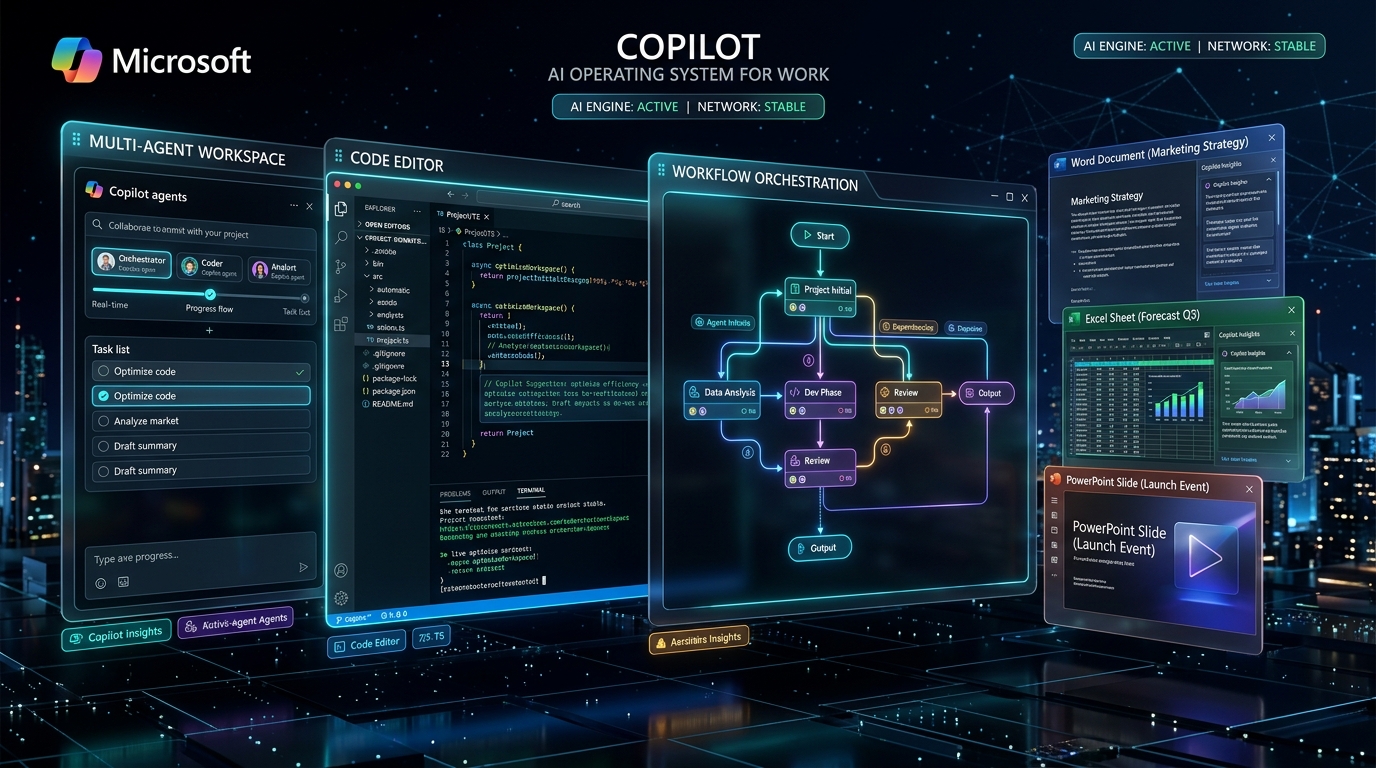
Overview: An AI Operating System for Work
Microsoft is giving Copilot a major makeover.
On September 25, 2026, Microsoft introduced a new Copilot experience designed to bring AI-powered chat, collaboration, coding, Office tools, and autonomous agents into one unified workspace.
Instead of using AI simply as a chatbot that answers questions, Microsoft wants Copilot to become a central AI work environment where users can ask questions, delegate complex tasks, build software, and let AI agents continue working on their behalf.
The new experience is organized around three major areas: Home, Code, and Autopilot, with a new Today experience also coming soon.
What Is the New Microsoft Copilot?
The new Microsoft Copilot can be thought of as an AI operating layer for work.
Traditional AI assistants generally follow a simple model:
Microsoft's new vision is much broader:
The goal is to make Copilot useful not only for answering questions, but also for completing multi-step work.
The new Copilot brings together a unified suite of capabilities:
- Copilot Chat: Conversational AI for quick answers, queries, and contextual exploration.
- Cowork: Delegating multi-step complex business workflows and deliverables directly to AI.
- Office: Deep inline intelligence and real-time generation across Word, Excel, and PowerPoint.
- Code: Natural language software and automation creation in a managed developer sandbox.
- Autopilot: Persistent autonomous agents that possess identity and execute ongoing tasks.
- Today Experience: An upcoming personalized command center organizing work, notifications, and focus.
When Was the New Copilot Announced?
Microsoft announced the new Copilot on September 25, 2026.
However, the announcement does not mean every feature became available to everyone on that day.
The rollout is happening gradually through Microsoft's Frontier program, previews, and other early-access channels.
Microsoft said the new Home and Code experiences would begin rolling out to Frontier users in the following weeks. Autopilot was also moving into private preview, while Today was announced for a later preview.
So, it is important to distinguish between the announcement date and the general availability date.
1. Home: The Main Copilot Workspace
Home is designed to become the central starting point for Copilot.
It brings together experiences such as Copilot Chat, Cowork, and Office inside one unified surface.
You can think of Home as the place where you start your work with AI.
For example, you could ask:
“Summarize the latest customer feedback and prepare the key points for tomorrow's meeting.”
Instead of simply answering a question, Copilot can use the relevant work context available to it and help prepare the requested result.
Home is therefore designed for everyday AI-assisted work.
2. Cowork: Let AI Handle Complex Work
One of the biggest changes is Cowork.
Chat is primarily about interacting with AI.
Cowork is about delegating work to AI.
For example, instead of saying:
“Write a customer briefing.”
You could give Copilot a larger task:
“Prepare a customer briefing using our project documents, previous discussions, and recent updates.”
The AI can break the task into multiple steps and work toward a finished result.
Microsoft has described key enterprise use cases:
- RFP Responses: Analyzing proposal requirements, referencing historical bids, and compiling technical answers.
- Customer Briefings: Synthesizing email discussions, CRM data, and project updates into executive briefs.
- Product Launch Packages: Coordinating collateral, release notes, launch timelines, and marketing messaging.
- Financial Close Packages: Reconciling statements, drafting audit commentaries, and organizing summaries.
- Multi-Step Business Workflows: Orchestrating complex cross-team approvals and structured task handoffs.
3. Code: Build Software With AI
The Code experience is particularly interesting for developers.
Microsoft is bringing a coding-focused environment directly into Copilot.
Users can describe what they want to build using natural language, and Copilot can help create applications, automations, and other software solutions.
For example:
“Create an employee management application with employee records, leave requests, an approval system, and an admin dashboard.”
Copilot can help turn that description into a working software project.
Microsoft says the Code experience uses technology from GitHub Copilot and operates in a sandboxed environment.
The important idea is that AI isn't limited to generating a few lines of code. It can increasingly help with the larger software-building process.
The workflow looks like:
For developers, this could make AI coding assistants more closely connected to actual application development.
4. Copilot Managed Runtime
Building an application is only part of the problem. Organizations also need to ensure security, governance, and seamless execution.
Enterprises must rigorously manage:
- Security: Enforcing authentication, encryption, and zero-trust perimeter controls.
- Authentication & Permissions: Ensuring AI solutions only act on permitted tenant resources.
- Data Access & Isolation: Protecting sensitive corporate data and customer records from exposure.
- Deployment: Running generated apps without complex manual DevOps and provisioning.
- Governance: Auditing AI-generated logic, tracking revisions, and enforcing enterprise compliance.
- Monitoring: Observing live execution health, throughput, latency, and resource consumption.
Securing AI Execution at Scale
Microsoft is introducing Copilot Managed Runtime to provide an environment where code created through Copilot can run within an organization's Microsoft environment.
The idea is to allow AI-generated applications and automations to operate while still being controlled by organizational policies.
This is especially important for businesses because simply generating code isn't enough. Companies need to know where that code runs and what data it can access.
5. Autopilot: AI That Can Continue Working
Perhaps the most interesting part of Microsoft's announcement is Autopilot (previously known as Scout).
Unlike a normal chatbot, Autopilot is designed to act as a persistent AI agent.
Instead of:
the idea becomes:
For example, imagine you are managing a project. You could tell an AI agent:
“Monitor the project and follow up on outstanding tasks.”
Instead of waiting for another prompt, the agent can continue working on the assigned responsibility.
Microsoft says Autopilot can work across organizational environments and interact with tools such as Teams, Outlook, documents, and other work resources, subject to permissions and governance.
Autopilot Can Have Its Own Identity
Another interesting part of the new system is that Autopilot can have its own identity within an organization's environment.
Microsoft describes Autopilot as having its own:
- Identity: A dedicated corporate persona, recognizable presence, and defined role.
- Memory: Long-term memory preserving project context, user habits, and domain data.
- Workspace: Dedicated cloud directories and collaborative project containers.
- Computer: Virtual computing runtime enabling it to browse, evaluate data, and run routines.
A Digital Coworker in Workplace Conversations
This means the AI agent can be treated more like a digital coworker than a traditional chatbot.
For example, users could potentially interact with it through workplace conversations and mention it when they need something done.
This is a significant change in the concept of workplace AI.
6. Microsoft IQ: Giving Copilot More Context
AI becomes much more useful when it understands context.
Microsoft is expanding Copilot's ability to understand organizational information through Microsoft IQ and related Microsoft data and business platforms.
For example, suppose an employee asks:
“Prepare a proposal for this customer.”
A basic chatbot might only know the information included in the prompt.
A work-focused Copilot can potentially use permitted information such as:
- Previous Conversations: Customer discussions and team threads across Microsoft Teams.
- Internal Documents: Statements of work, briefs, and presentation decks stored across SharePoint.
- Meetings: Transcripts, key decisions, and follow-ups recorded during video conferences.
- Customer Information: Relationship histories, account sizes, and key contact details.
- Business Data: ERP, CRM, and transactional data integrated across the enterprise.
- Organizational Context: Departmental hierarchies, standard operating procedures, and pricing policies.
Context With Enterprise Governance
This contextual depth can help Copilot produce a far more relevant result.
However, access remains an important part of the system. Enterprise AI needs to respect permissions and organizational security rather than simply giving an AI access to everything.
7. Word, Excel and PowerPoint Inside Copilot
Microsoft is also bringing Office capabilities closer to the Copilot experience.
Users can work with applications such as Word, Excel, and PowerPoint directly within Copilot.
For example, you could ask Copilot to create a document from your notes, analyze information in a spreadsheet, or create presentation content from an existing proposal.
This makes Copilot less like a separate chatbot and more like an AI layer connecting Microsoft's productivity applications.
8. Today: A Personal Command Center
Microsoft also teased another feature called Today.
Today is designed to become a personal command center for work.
It can bring together information from areas such as: Email, Calendar, Teams, Meetings, and Tasks.
The idea is to answer questions like:
“What did I miss?”
“What needs my attention today?”
“Which tasks should I focus on?”
Microsoft also described the possibility of preparing drafts, schedule changes, and follow-ups based on relevant context.
Today is still an upcoming experience rather than a fully available feature for everyone.
How Is the New Copilot Different?
The easiest way to understand the new system is to compare the major components.
| Feature | Main Purpose |
|---|---|
| Chat | Ask AI questions |
| Cowork | Delegate complex work |
| Code | Build software and automations |
| Autopilot | Give AI ongoing responsibilities |
| Today | Organize your work and attention |
How Does the New Copilot Work?
The overall concept can be represented like this:
For autonomous tasks, the process can continue beyond a single interaction.
This is why the new Copilot represents a move toward agentic AI rather than just conversational AI.
How Can Users Try It?
The new capabilities are being introduced gradually.
Microsoft's Frontier program provides early access to selected experimental Copilot capabilities.
Availability depends on factors such as:
- Microsoft 365 Subscription: Eligible enterprise and commercial plans.
- Account Type: Targeted organization and work account credentials.
- Organization Settings: Admin approvals and tenant configuration.
- Region: Regional data residency and feature rollout phases.
- Feature Rollout: Phased ring deployments across enterprise tenants.
- Preview Eligibility: Frontier program enrollment via Copilot settings.
Why Is This Important? The Agentic Shift
The biggest change isn't simply another Copilot feature. It is the shift in the way Microsoft expects people to interact with AI.
The first generation of AI assistants focused heavily on: Questions and answers.
The next generation is moving toward: Goals and actions.
That means AI systems are increasingly being designed to:
- Understand context: Pulling information across conversations, enterprise data, and schedules.
- Use tools: Invoking web search, calculation engines, and third-party APIs.
- Work with files: Generating, editing, and managing spreadsheets, presentations, and documents.
- Write code: Authoring test suites, scripts, and production software modules.
- Perform multiple steps: Breaking high-level objectives into ordered execution stages.
- Communicate with other systems: Integrating with databases, CRMs, and messaging apps.
- Automate repetitive work: Handling routine multi-application workflows without human fatigue.
- Continue working after the initial prompt: Operating as proactive background agents.
What Does This Mean for Developers?
For developers, this trend is especially important. AI development is moving beyond simply calling an LLM API.
Modern AI applications increasingly require knowledge of:
- LLM APIs & Prompt Architecture: Optimizing token usage, context windows, and model selection.
- Tool Calling & Function Calling: Enabling models to interact with real-world programmatic interfaces.
- Agents & Orchestration: Building autonomous loops, state machines, and delegation patterns.
- RAG & Vector Search: Grounding AI with indexed enterprise repositories and knowledge bases.
- Model Context Protocol (MCP): Standardizing bidirectional client-server integrations.
- Authentication & Permissions: Enforcing least privilege access and role-based policies.
- APIs & System Connectors: Connecting disparate legacy systems and microservices.
- Sandboxed Execution: Isolating untrusted AI-generated code execution environments.
- AI Security & Red Teaming: Defending against prompt injection, jailbreaking, and data leakage.
- Observability & Tracing: Monitoring token spend, agent traces, and output quality.
- Human Approval Workflows: Embedding human-in-the-loop verification for critical actions.
The New Architecture of AI Systems
A developer might therefore build an application where:
This is very different from a simple chatbot.
Final Thoughts: An AI Operating Layer for Work
Microsoft's new Copilot represents a major step toward turning AI into a work operating environment.
With Home, users get a central workspace.
With Cowork, they can delegate complex tasks.
With Code, they can build software with AI assistance.
With Autopilot, AI can take on longer-running responsibilities.
And with Today, Microsoft is working toward a personal command center that helps users understand what needs their attention.
The larger story is not just about Microsoft Copilot. It is about where workplace AI is heading:
As these capabilities move from preview programs into broader availability, the way people work with software could change significantly.
Key Takeaway:
“The future of workplace AI may not be a chatbot sitting beside your applications. It may be an AI layer that works across all of them.”