AI & Technology
Googlebook: Google’s New AI-First Laptop Powered by Gemini
Overview: An AI-First Era in Personal Computing
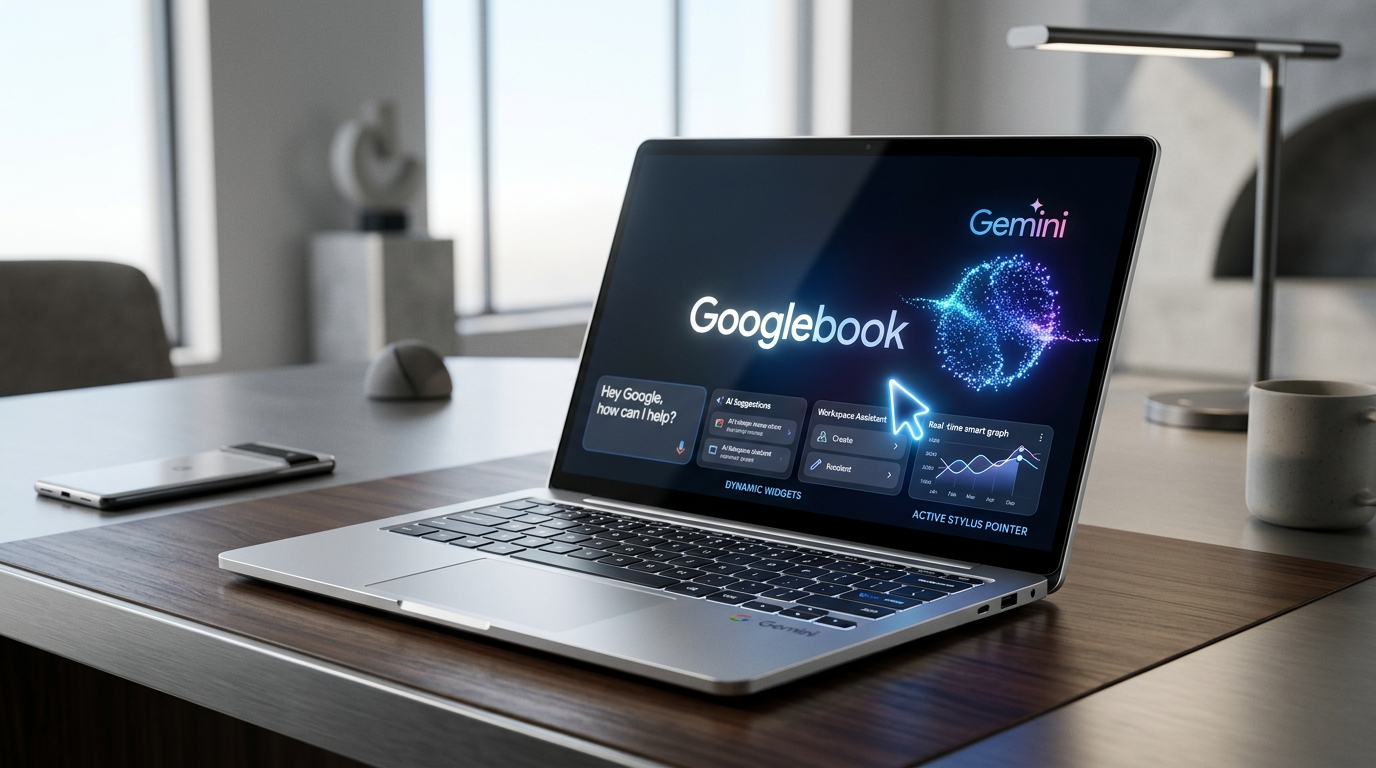
Google is taking another step toward AI-powered personal computing with Googlebook, its new laptop platform built around Google’s Gemini AI.
Unlike traditional laptops where AI is mostly an application you open when needed, Googlebook is designed to make AI a part of the everyday computing experience. From interacting with content on your screen to turning voice notes into organized text and connecting your Android phone with your laptop, Google is positioning Googlebook as an AI-first computer.
What Is Googlebook?
Googlebook is a new premium laptop platform that combines Google's desktop computing technology, Android integration, and Gemini AI.
The goal is simple: instead of making users switch between different applications to get AI assistance, Google wants Gemini to be available throughout the computing experience.
Googlebook devices are being introduced by leading manufacturers including Acer, ASUS, Dell, HP, and Lenovo.
The platform is aimed at users who want more than a traditional web-focused laptop, particularly people who work with AI, productivity tools, Android applications, and cloud services.
When Was Googlebook Released?
Google announced Googlebook in May 2026.
Pre-orders opened on September 21, 2026, with the first devices expected to become available in October 2026.
The initial Googlebook lineup starts at around $899, while higher-end configurations can reach approximately $1,299.
Availability and pricing can vary by market, and official Indian pricing has not been announced in the current launch information.
Gemini Is at the Center
The biggest difference between Googlebook and a conventional laptop is the role of Gemini.
On a normal computer, you might have to navigate a multi-step routine:
Googlebook is designed to reduce these steps by making Gemini available directly within the computing experience.
This is where Google's new AI features become important.
Magic Pointer: More Than a Mouse
One of Googlebook's most interesting features is Magic Pointer.
Traditionally, a mouse pointer is primarily used to select, click, and navigate.
Magic Pointer adds Gemini-powered capabilities to the interaction.
Users can activate Gemini around content on their screen and ask it to understand or work with that content.
For example, imagine you're looking at an image, document, or piece of text.
Instead of manually copying the information into an AI chatbot, you can use Magic Pointer to interact with the content and ask Gemini for assistance.
This could make common tasks such as understanding, organizing, translating, or working with information much faster.
Rambler Turns Speech Into Organized Thoughts
Another feature introduced with Googlebook is Rambler, an AI-powered voice transcription and organization tool.
Instead of carefully typing your thoughts, you can simply speak.
For example, you might say:
“I need to create a project plan. First, we need authentication, then the dashboard, then payment integration, and finally testing.”
Rambler can turn spoken thoughts into more structured and readable content.
The idea is not simply speech-to-text. Gemini can help transform unstructured speech into something more useful. This can be useful for:
- Meeting notes: Turning dynamic voice discussions into concise action items.
- Project planning: Structuring brainstorming thoughts into structured project deliverables.
- Brainstorming: Capturing spontaneous spoken ideas into clear outlines.
- To-do lists: Automatically organizing spoken priorities into actionable lists.
- Quick documentation: Generating technical briefs and workflows directly from voice notes.
- Personal notes: Converting everyday thoughts into polished, searchable memos.
AI-Generated Widgets
Googlebook also introduces the idea of creating custom widgets using natural language.
Instead of manually searching for and configuring a widget, users can describe what they want.
For example:
“Create a widget showing today's weather and my next three meetings.”
The AI can generate the requested widget.
This represents a broader shift in how people may interact with computers:
Android Phone Integration
Google is also connecting Googlebook more closely with Android smartphones.
Compatible Android phones can work together with Googlebook, allowing users to move between their phone and laptop more easily.
Depending on the supported features, users can access phone-related content and applications from the laptop and continue tasks across devices.
For example, you could begin something on your Android phone and continue the workflow on your Googlebook.
This creates a more connected Google ecosystem between:
Googlebook vs Traditional Chromebook
Googlebook is related to the Chromebook ecosystem, but Google is positioning it differently.
Traditional Chromebooks have generally been associated with affordable, web-focused computing.
Googlebook is targeting a more premium segment.
| Feature | Traditional Chromebook | Googlebook |
|---|---|---|
| Main focus | Web/cloud computing | AI + productivity |
| Gemini | Available as an AI service | Integrated throughout the experience |
| Android integration | Available | Deeply integrated |
| AI pointer | No | Magic Pointer |
| AI voice organization | Limited | Rambler |
| AI-generated widgets | No | Yes |
| Price positioning | Often budget-focused | Premium |
| Starting Googlebook price | — | Around $899 |
The important change is not simply the hardware. It is the way Google wants users to interact with the computer.
Why Googlebook Matters: AI as a Computing Layer
Googlebook represents a larger trend in the computer industry: AI is moving from an application to a computing layer.
Previously, AI was something users opened when they needed help.
Now companies are trying to integrate AI directly into:
Googlebook is Google's approach to this trend.
Microsoft is integrating Copilot into Windows, Apple is integrating Apple Intelligence into its ecosystem, and Google is using Gemini across Android and its new laptop platform.
The competition is increasingly about how naturally AI can become part of everyday computing.
Who Could Benefit From Googlebook?
Googlebook could be particularly interesting across key user roles:
- Developers: Use Gemini to understand documentation, work with code-related information, organize notes, and interact with content without constantly switching applications.
- Students: Summarize information, organize notes, convert spoken ideas into structured content, and work seamlessly across Android phones and laptops.
- Content Creators: Benefit from voice-based brainstorming with Rambler, AI-assisted organization, and rapid contextual interaction with images and text.
- Business Users: Streamline meetings, documents, emails, schedules, and project planning with continuous AI automation for repetitive tasks.
The Bigger Picture: The AI-First Paradigm Shift
Googlebook isn't just another laptop launch.
It represents Google's vision of what an AI-first computer could look like.
The traditional computer model is:
The AI-first model is moving toward:
You tell the computer what you want, and the AI helps determine how to accomplish it.
With features such as Magic Pointer, Rambler, AI-generated widgets, Gemini integration, and Android connectivity, Google is attempting to make that vision part of the everyday laptop experience.
Final Thoughts: Gemini as the Operating Experience
Googlebook marks an interesting shift in Google's hardware and software strategy.
Starting at around $899, it is positioned well above the traditional budget Chromebook market. Its main selling point isn't simply processing power or screen quality—it is the integration of Gemini AI into the overall computing experience.
The most important question will be how useful these AI features become in real-world everyday work.
If Google succeeds, the laptop could become less about manually navigating applications and more about simply telling your computer what you want to accomplish.
Googlebook's real innovation isn't just putting Gemini on a laptop. It's trying to make Gemini part of how you use the laptop itself.
Key Takeaway:
“Googlebook shifts AI from a standalone destination app into the pervasive interaction layer of everyday personal computing.”