AI & Technology
Energy AI Agent: What It Is, How It Works, and Why It Matters
What is Energy AI Agent?
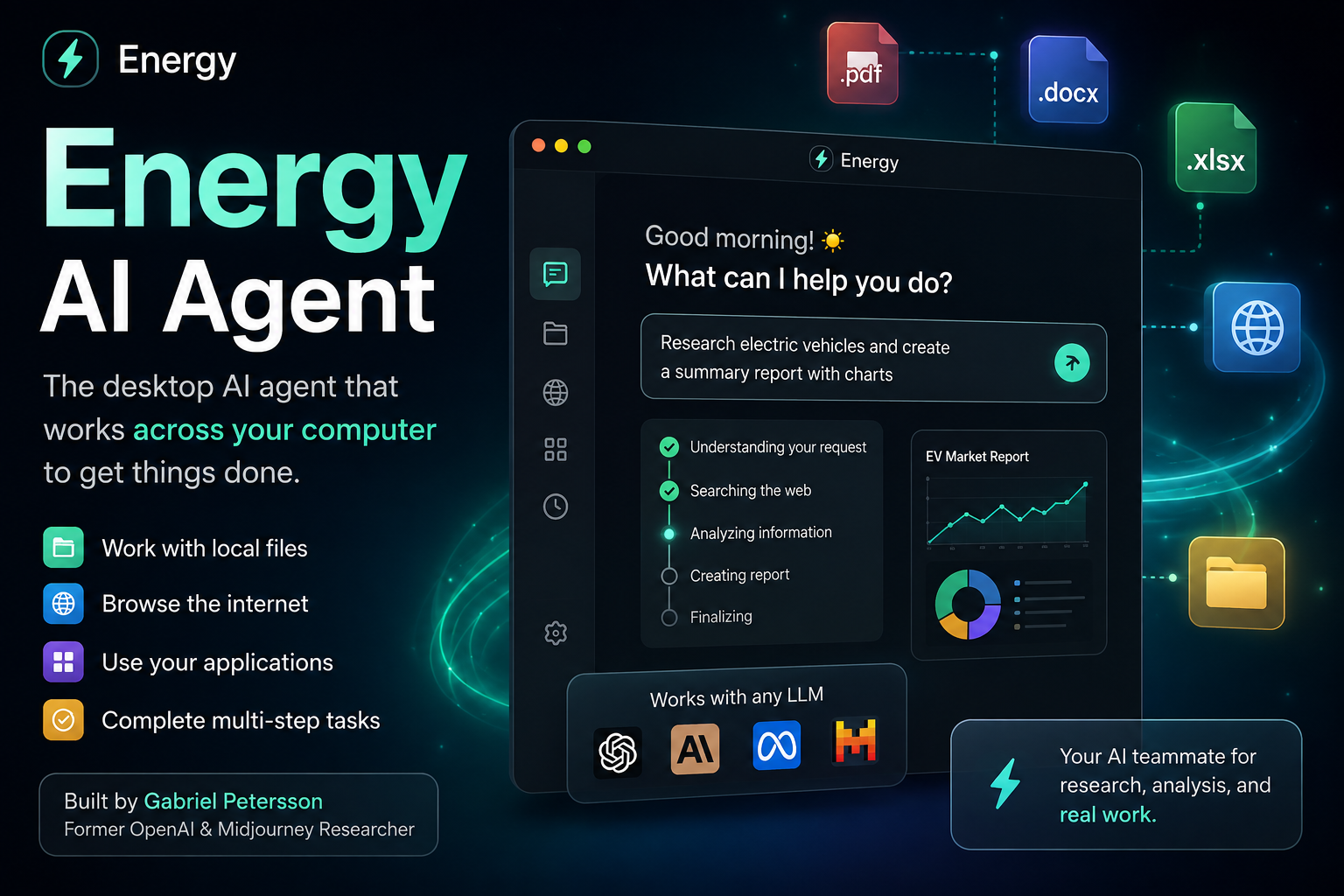
Energy is a desktop AI agent designed to help users complete projects and tasks across their computer. Instead of only answering questions like a traditional chatbot, Energy can work with local files, browse the internet, and interact with connected applications to help complete multi-step tasks. The tool was created by Gabriel Petersson, a former researcher and engineer at OpenAI and Midjourney.
When Was Energy AI Agent Released?
Energy was introduced in August 2026 as a new desktop AI agent focused on helping users perform real computer-based work. The product was created by Gabriel Petersson, who previously worked at OpenAI and Midjourney.
- August 2026: Energy was introduced as a downloadable desktop AI agent.
- Launch Focus: The product focuses on completing projects across a user's computer rather than only generating answers.
- Desktop Experience: Energy is designed to work with local files, websites, and connected applications.
- Model Flexibility: Energy is designed to work with different large language models instead of locking users into a single AI provider.
- Current Status: Energy is a new AI agent and its features and integrations may continue to evolve as the product develops.
How Does Energy AI Agent Work?
Energy combines an AI model with access to computer-based tools and applications. The user provides a goal, and the agent can plan the required steps, gather information, interact with available tools, and work toward completing the task.
- User Request: The user describes what they want Energy to accomplish instead of manually explaining every individual step.
- Task Planning: The AI analyzes the request and determines the actions required to complete the task.
- Computer Access: Energy can work with local files, websites, and supported applications.
- Web Browsing: The agent can navigate the internet to find and collect relevant information.
- AI Processing: The selected LLM processes the available information and helps the agent decide what to do next.
- Result: After completing the required work, Energy provides the result for the user to review.
How to Use Energy AI Agent
- Step 1 - Download Energy: Install the Energy desktop application on your computer.
- Step 2 - Set Up Your Account: Open Energy and complete the required setup process.
- Step 3 - Connect Tools: Give Energy access to the applications, files, or services you want it to work with.
- Step 4 - Describe Your Goal: Tell Energy what you want to accomplish using a natural-language request.
- Step 5 - Let the Agent Work: Energy can analyze the task and perform the required computer-based actions.
- Step 6 - Review the Result: Check the completed work before using or sharing the final result.
What Can You Do With Energy?
- Work With Local Files: Search, read, organize, and analyze information stored on your computer.
- Research the Web: Browse websites and collect information needed for a project.
- Organize Information: Bring information from different sources together and structure it into a useful result.
- Create Reports: Use information gathered from files and websites to prepare summaries and reports.
- Complete Repetitive Tasks: Automate multi-step computer workflows that would normally require manual work.
- Work Across Applications: Use supported applications and services as part of a larger workflow.
- Research Projects: Gather information from multiple sources and help turn it into a completed research task.
Why Should You Use Energy?
The main advantage of Energy is its ability to connect AI with the actual computer workflow. Instead of asking an AI chatbot for instructions and then performing those instructions yourself, an AI agent can work toward completing the task for you.
- Less Manual Work: Energy can handle multiple steps that would otherwise require manual interaction.
- Save Time: Repetitive research, file management, and information-gathering tasks can potentially be completed faster.
- Work With Your Files: The desktop experience allows the agent to work with information stored on your computer.
- Internet Access: Energy can browse the web when a task requires online information.
- Multi-Step Tasks: The agent is designed to work toward an outcome rather than simply answering one question at a time.
- Model Flexibility: Energy is designed to support different LLMs, giving users more flexibility when choosing AI models.
Energy vs ChatGPT
Energy and ChatGPT can both use artificial intelligence to help users complete tasks, but they are designed with different primary experiences in mind. ChatGPT is a general-purpose AI assistant that can help with writing, coding, learning, reasoning, research, and many other tasks. Energy focuses more specifically on acting as a desktop agent that can work across a user's computer.
- ChatGPT: A general-purpose AI assistant for writing, coding, reasoning, learning, research, and many other tasks.
- Energy: A desktop AI agent focused on performing tasks across the computer.
- ChatGPT's Strength: Strong conversational AI and general-purpose assistance.
- Energy's Strength: Connecting AI reasoning with computer-based actions and workflows.
- Key Difference: ChatGPT primarily focuses on helping users through conversation, while Energy focuses more on completing computer-based tasks.
How Is Energy Different From a Traditional AI Chatbot?
A traditional AI chatbot generally responds to a user's message with information, instructions, or generated content. An AI agent such as Energy is designed to take those instructions further by interacting with tools and performing multiple actions.
- Traditional Chatbot: Answer a question or generate content.
- AI Assistant: Help the user understand information and decide what to do.
- AI Agent: Understand a goal, plan actions, use tools, and work toward completing the task.
- Energy: Combines AI reasoning with desktop, file, and web-based workflows.
What Makes Energy Different?
One of the notable ideas behind Energy is its model-independent approach. Instead of making the AI model the entire product, Energy is designed as an agent layer that can work with different LLMs. This gives users more flexibility when choosing the model that powers their workflows.
- Desktop Agent: Energy is designed to operate as a desktop application rather than only a web-based chatbot.
- Computer-Based Tasks: It can work with files, websites, and supported applications.
- Model Flexibility: Users are not intended to be locked into a single LLM provider.
- Outcome-Based Work: Users can describe the result they want instead of manually specifying every step.
- Agent Architecture: Energy combines an AI model, tools, computer access, and task planning into one workflow.
Privacy and Security
Because Energy is designed to work with a user's computer, files, browser, and connected applications, privacy and security are important considerations. Users should carefully review which applications and information they allow an AI agent to access. It is generally safer to begin with low-risk tasks such as research, summarization, and document organization before giving an agent permission to perform sensitive actions.
The Role of LLMs in Energy
Large language models provide the reasoning and language capabilities behind an AI agent. Energy's model-agnostic approach is designed to allow different LLMs to be used as the reasoning engine while Energy handles the surrounding computer workflow.
- Energy: Provides the desktop AI agent and task workflow.
- LLM: Provides language understanding, reasoning, and decision-making.
- Computer Tools: Allow the agent to interact with files, websites, and applications.
- User: Provides the goal and reviews the final result.
- Combined System: AI reasoning plus tools and computer access creates an agent capable of working on multi-step tasks.
The Future of Desktop AI Agents
Energy represents a broader shift in artificial intelligence from answering questions toward performing tasks. As AI agents become more capable, users may increasingly interact with computers by describing the outcome they want instead of manually performing every individual action. This could make AI a more active part of everyday digital work.
Conclusion
Energy is an interesting example of the next generation of AI assistants. Instead of functioning only as a chatbot, it is designed to work across the user's computer, including local files, websites, and connected applications. Its model-flexible approach also gives it a different position from AI products that depend on a single LLM provider. As desktop AI agents continue to develop, tools like Energy could change the way people research, organize information, and complete everyday computer-based tasks.