AI & Technology
ChatGPT Work Website Login: What It Is, How It Works, and Why It Matters
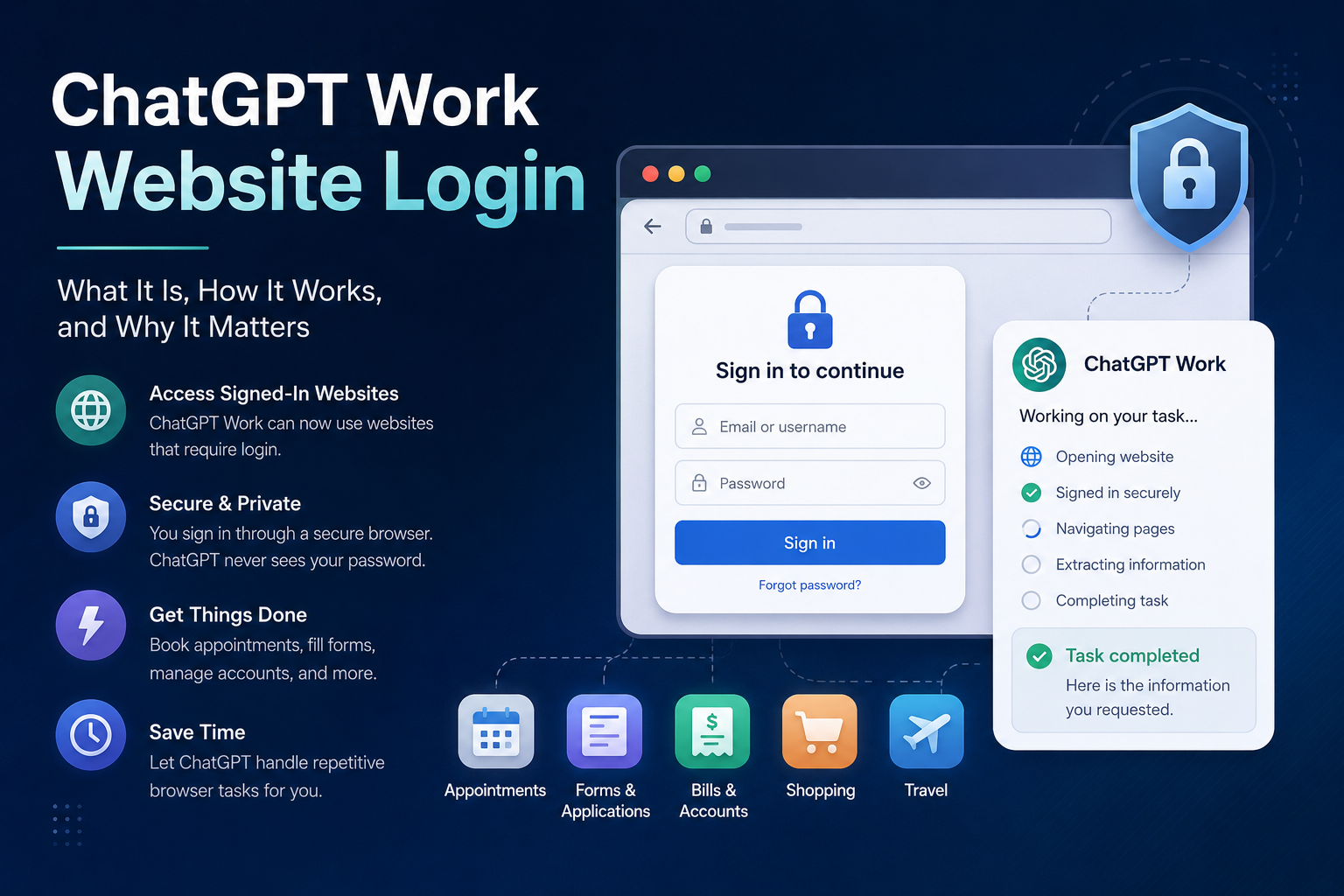
What is ChatGPT Work Website Login?
ChatGPT Work's website login capability allows ChatGPT to interact with websites that require authentication. When ChatGPT reaches a website that requires a username and password, users can sign in through a secure login experience. The credentials entered during this process are not provided to ChatGPT through the normal conversation. After authentication, ChatGPT can continue working with the signed-in website and perform the requested browser-based task. This makes the feature particularly useful for tasks that previously required users to manually navigate through multiple pages, forms, and account dashboards.
When Was ChatGPT Work Website Login Released?
The feature was rolled out in **August 2026**, with the relevant ChatGPT Work update released on **August 25, 2026**.
- August 2026: ChatGPT Work expanded its browser-based capabilities.
- August 25, 2026: The website login capability was released as part of the rollout.
- Secure Authentication: Users can sign in to websites without directly sharing passwords in the ChatGPT conversation.
- Browser Automation: ChatGPT can continue tasks after the user authenticates.
- Password Manager Support: The browser experience can work with password managers for supported login workflows.
How Does ChatGPT Work Website Login Work?
ChatGPT Work combines AI assistance with a cloud browser environment. A user first describes the task they want to complete. ChatGPT then opens the relevant website and navigates through the required pages. If the website requires authentication, the process can look like this:
- User Request: The user describes the task they want completed.
- Website Navigation: ChatGPT opens and navigates to the required website.
- Login Required: The website asks the user to authenticate.
- Secure Sign-In: The user enters their credentials through the provided login experience.
- Authentication: The website verifies the user's account.
- Task Execution: ChatGPT continues navigating the authenticated website.
- Final Result: ChatGPT reports the result or asks the user to confirm an important action.
How to Use ChatGPT Work Website Login
Using the capability is designed to be straightforward.
- Step 1 - Open ChatGPT Work: Start a task in a supported ChatGPT Work environment.
- Step 2 - Describe Your Task: Tell ChatGPT exactly what you want it to accomplish.
- Step 3 - Open the Website: ChatGPT navigates to the required website.
- Step 4 - Sign In: If the website requires authentication, use the secure sign-in experience to log in.
- Step 5 - Complete Verification: Complete two-factor authentication or other security checks when required.
- Step 6 - Let ChatGPT Continue: After authentication, ChatGPT can continue with the requested browser workflow.
- Step 7 - Review the Result: Check the information or action completed by ChatGPT.
- Step 8 - Confirm Important Actions: For actions such as bookings or purchases, provide confirmation when requested.
What Can You Do With ChatGPT Work Website Login?
The feature can be useful for many different browser-based activities.
- Appointments: Find and prepare appointments on supported websites.
- Online Applications: Navigate and fill out online applications.
- Account Management: Access information from signed-in accounts.
- Bills and Utilities: Check information from utility or service accounts.
- Travel: Search and manage travel-related information on supported websites.
- Shopping: Search for products and assist with online purchasing workflows.
- Business Tasks: Work with business dashboards and web-based systems.
- Research: Collect information from websites that require an account.
- Forms: Help complete repetitive online forms.
- Administrative Work: Automate repetitive browser-based activities.
Why Should You Use ChatGPT Work Website Login?
The main advantage is **reducing repetitive manual browser work**. Normally, completing an online task might require: **Open website → Login → Find page → Read information → Fill form → Submit → Confirm** With an AI browser agent, the workflow can become: **Give instruction → Authenticate → ChatGPT navigates → Review → Confirm** This can save time and make repetitive online workflows easier to manage.
Key Benefits
- Less Manual Work: ChatGPT can handle repetitive navigation.
- Faster Workflows: Multiple browser steps can be handled as one task.
- Secure Authentication: Passwords do not need to be pasted into the conversation.
- Better Productivity: Users can focus on the outcome rather than every individual browser step.
- Multi-Step Tasks: ChatGPT can navigate through several pages to complete a workflow.
- Business Automation: Companies can potentially automate repetitive web-based processes.
ChatGPT Work vs Traditional Chatbots
Traditional AI assistants generally provide information or instructions. For example: **Traditional Chatbot:** > "Here is how you can book an appointment." The user still has to perform the entire process. With a browser-based AI agent: **ChatGPT Work:** > "Find an available appointment and help me book it." The AI can potentially navigate the website, work through the required steps, and request confirmation before completing an important action. The major difference is: **Traditional AI = Tell me how** **AI Agent = Help me do it**
What Makes ChatGPT Work Different?
One of the most important changes is the ability to combine **AI reasoning, browser navigation, and authenticated sessions**. Instead of relying only on APIs or public webpages, an AI browser agent can interact with websites in a way that resembles how a human user operates a browser. This makes it useful for websites where:
- Information is behind a login.
- Users need to complete forms.
- Several pages must be navigated.
- Information needs to be collected from dashboards.
- A workflow requires multiple browser actions.
ChatGPT Work for Businesses
Businesses can potentially benefit significantly from this capability. Many companies still perform repetitive work through browser-based applications. For example, an employee might need to: **CRM → Vendor Portal → Accounting System → Dashboard → Report** Every system may require different pages, logins, and manual data entry. AI browser capabilities could help automate portions of these workflows.
Business Use Cases
- CRM: Retrieve or update customer information.
- Accounting: Check invoices and financial information.
- Real Estate: Search property portals and collect listing information.
- E-Commerce: Manage product information and online orders.
- Operations: Check dashboards and repetitive workflows.
- Marketing: Collect campaign information from web platforms.
- Customer Support: Retrieve account information from support systems.
- Administration: Complete repetitive web forms and tasks.
Example: Booking an Appointment
Imagine a user needs an appointment. Instead of manually doing: **Open website → Login → Search doctor → Select date → Select time → Fill details → Confirm** The user could ask ChatGPT: > "Find an available appointment for Friday afternoon." ChatGPT can navigate the website, ask the user to authenticate when necessary, search available options, and present the relevant appointment. If the appointment requires a final confirmation, the user can make that decision before the action is completed.
Privacy and Security
Because this feature can interact with signed-in websites, security is extremely important. Users should **never paste passwords or security codes directly into the ChatGPT conversation**. Instead, authentication should be completed through the secure login experience provided by the browser. Users should also be careful when allowing an AI agent to interact with sensitive accounts. Important considerations include:
- Review the website before signing in.
- Avoid sharing unnecessary sensitive information.
- Review important actions before confirming them.
- Use two-factor authentication where available.
- Be careful with financial and highly sensitive accounts.
- Follow your organization's security policies when using work accounts.
Limitations
The feature does not mean ChatGPT can automatically access every website or complete every task. Some websites may:
- Block automated browsers.
- Require CAPTCHA.
- Require additional verification.
- Restrict certain automated actions.
- Have browser compatibility limitations.
- Require the user to take control.
ChatGPT Work and the Future of AI Agents
The website login capability represents a broader shift in artificial intelligence. The evolution can be viewed as: **Chatbot** Answers questions. ↓ **AI Assistant** Helps create and research. ↓ **AI Agent** Uses tools to accomplish tasks. ↓ **Browser Agent** Operates websites. ↓ **Agentic AI** Performs multi-step digital workflows. The important change is that AI is increasingly moving from **generating information to taking action**.
Conclusion
ChatGPT Work's website login capability is an important step toward more practical AI agents. Instead of simply explaining how to complete an online task, ChatGPT can increasingly help users perform the task through a browser, including websites that require authentication. Its biggest benefit is not simply password access. The larger idea is **AI-powered browser automation**. With secure authentication, user confirmation, and appropriate security controls, this technology could reduce repetitive work across personal tasks and business workflows. The future of AI may therefore move from: > **"Tell me how to do it."** to: > **"Help me do it."**